 Robert Ambrogi Blog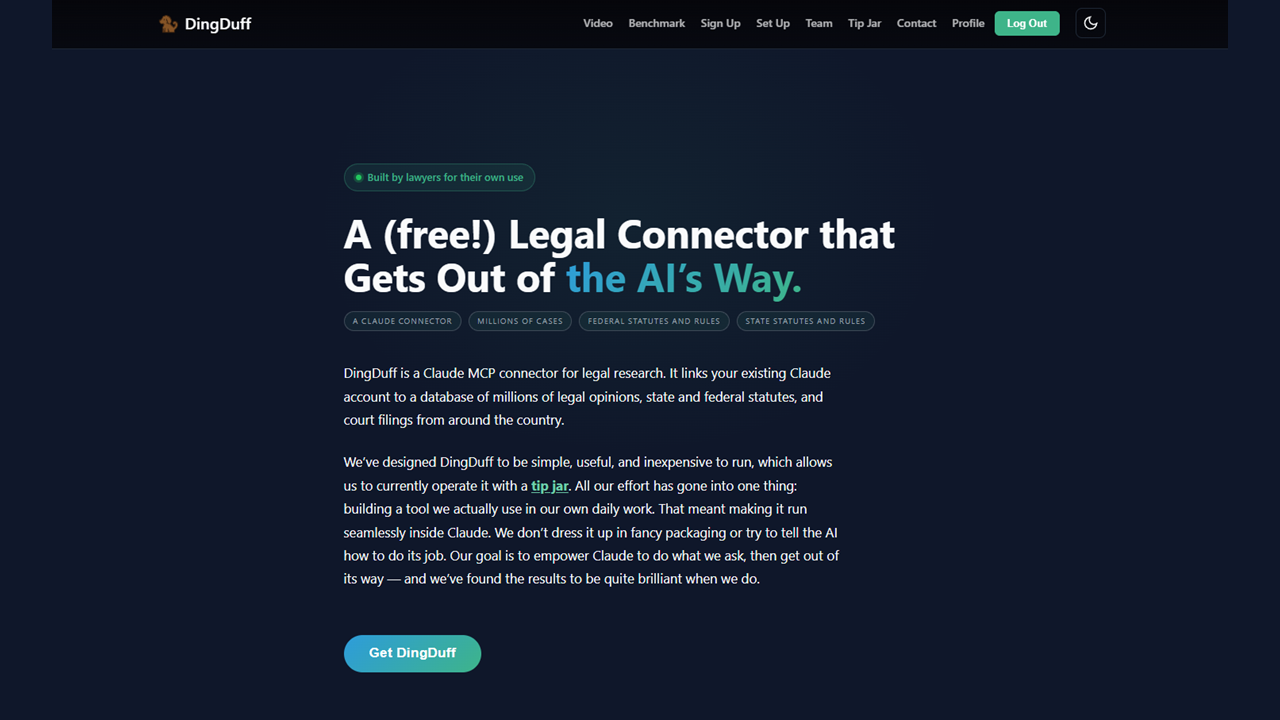


Two practicing lawyers in Austin, Texas, have built a free connector that plugs Claude directly into millions of court opinions, statutes, regulations and court rules, along with federal court filings via PACER — and they say that, in their own testing, it matches and sometimes beats the Westlaw AI accounts their firms pay for.
The tool is called DingDuff, and it is an MCP connector — short for Model Context Protocol, the open standard that lets an AI assistant call outside tools and data sources. That means there is no separate application to learn. The lawyer works in Claude, asks a legal question, and Claude searches the actual primary sources and answers with citations the lawyer can open and check.
The founders are Kyle Dingman, a plaintiff-side mass torts lawyer, and Stephanie Duff-O’Bryan, a commercial litigator and former Consumer Financial Protection Bureau enforcement attorney. They built DingDuff — the name is a mash-up of their surnames — for their own practices, and say they never set out to build a company.
They decided to share it with other legal professionals after a result that surprised them. Dingman keeps a small set of test prompts that he reruns as models and products change, and in those comparisons, he said, an ordinary Claude account connected to DingDuff was producing research memos that matched the output of the legal-specific AI products available through their firms.
“It turns out memos that are basically as good as Westlaw’s,” Dingman told me in a recent interview. “We weren’t trying to build some sort of competitor to Westlaw.”
It is a claim the founders now make publicly on their website, where they say DingDuff outperformed their firms’ Westlaw AI accounts so consistently that they both eventually stopped using them.
Granted, that is their own assessment, not an independent benchmark. Still, it goes to a larger question the legal AI market has been debating these days, which is how much value comes from a purpose-built legal AI platform as compared to simply giving a general-purpose model such as Claude or ChatGPT direct access to reliable legal sources.
From A Raspberry Pi In A Closet
The tagline on DingDuff’s GitHub page emphasizes its origin story: “Built by lawyers, for lawyers.” It grew out of the mix of anxiety and fascination that swept the profession after ChatGPT’s release in late 2022.
“I got kind of obsessed with AI,” Dingman said. “I was like, ‘Oh God, the robot’s going to replace me.’ But also I was super excited by it.”
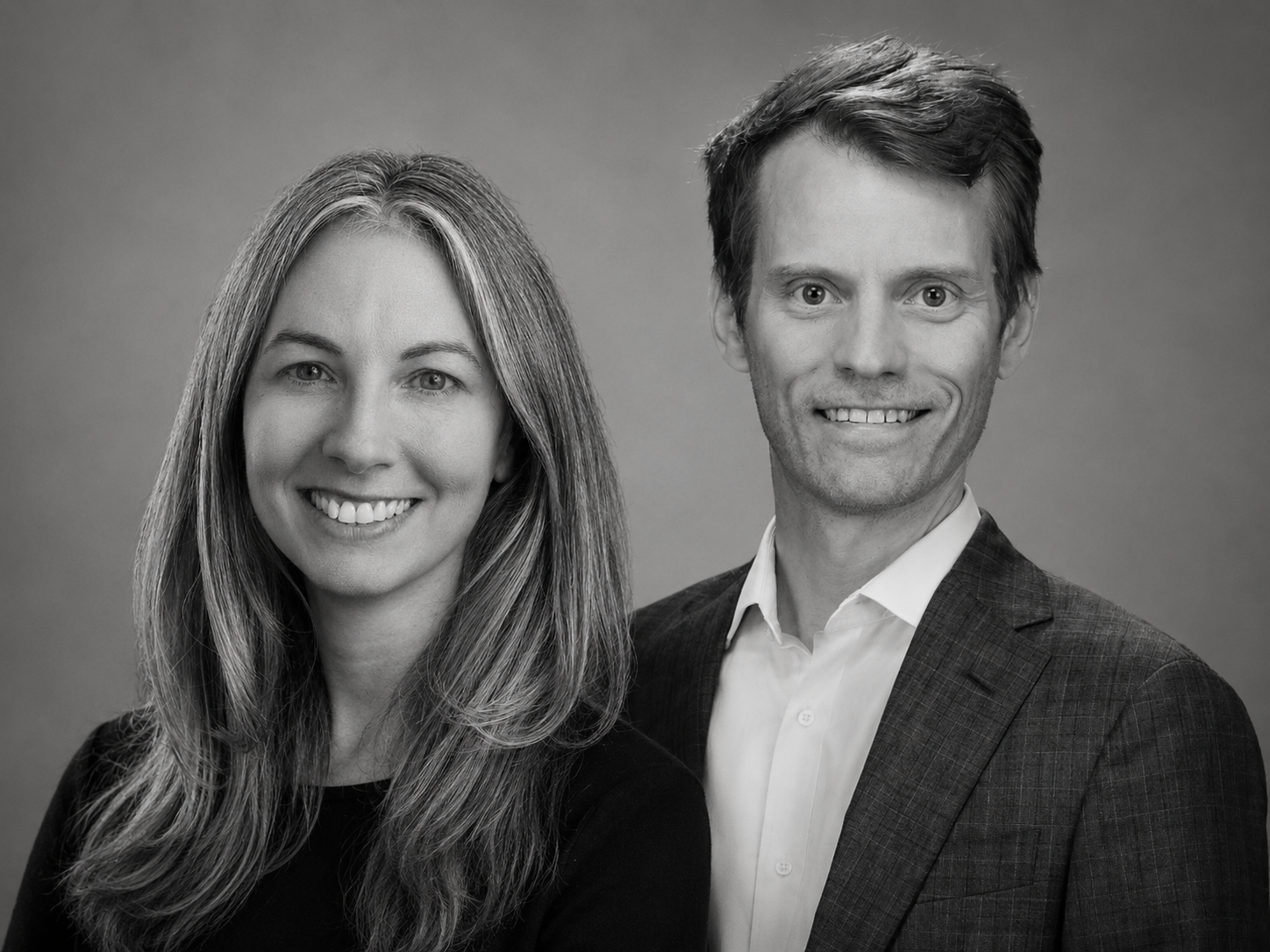
Founders Stephanie Duff-O’Bryan and Kyle Dingman. (Composite image generated from separate headshots by ChatGPT.)
He read everything he could about how the models worked, bought a $10,000 computer, and spent a weekend at the home of his father, a retired software engineer, trying to figure out whether he could train specialized legal AIs.
The machine soon sat gathering dust as the frontier models improved faster than anything he could build. But he said the experiments taught him something about legal AI. The limiting factor was not the AI’s intelligence, he concluded, but its access to data.
So Dingman began downloading cases from Harvard’s Caselaw Access Project and compiling them into a database, which he ran on a $35 Raspberry Pi tucked away in his closet.
Why the $35 computer and not the $10,000 one? “If I accidentally break it with some bad Python code, I can just buy another,” Dingman explained
Duff-O’Bryan joined the project in mid-2025, after the DOGE-era upheaval at the CFPB froze her investigations and sent her back to private practice. Neither founder is a professional coder, so both learned as they went. Duff-O’Bryan said she opened her computer’s terminal for the first time since a high school C++ class.
Their case law source changed to CourtListener, the Free Law Project’s open database of court opinions, after they reached out to its co-founder Mike Lissner. Rather than mirror CourtListener’s enormous and constantly changing corpus, DingDuff accesses it through API calls. DingDuff later added its own database of federal and state statutes and rules.
The DingDuff team has since grown to include two developers: Dingman’s brother Brady, a former naval submarine nuclear operator who curates the statutory database, and Julia Teleki, a software developer.
The company has no investors, and the service is free. “I have zero investors to appease,” Dingman said. “I am perfectly happy running this with a tip jar indefinitely.”
Getting Out Of The AI’s Way
The DingDuff website sums up the design philosophy in six words: A legal connector that “gets out of the AI’s way.”
“The tool itself is just a pipe from the law to Claude,” Dingman said. “It doesn’t tell Claude how to go analyze a legal issue. Claude’s actually pretty good at it out of the box.”
“There’s a lot that you want to do as an attorney that goes beyond writing a memo,” he said. “… What I really want to do is just interact iteratively with the AI as I’m working on a memo or a brief.” The model surfaces its assumptions about the law, he said, and the lawyer can challenge them, redirect the research, or ask it to pursue a competing argument.
Dingman is particularly interested in work that is impractical for a human researcher on an ordinary litigation budget, such as tracing back an entire line of case law so that he can better understand it and perhaps even algorithmically process all the cases. No associate has the hours for that, and it is a much different job than producing a polished one-shot memo.
An AI legal research product such as Westlaw does not allow that sort of interaction, he said. “It feels like they don’t trust the attorney because they guide it so much.”
He is also critical of Thomson Reuters’ recently released CoCounsel MCP connector, which I have written about here. Rather than giving Claude access to the industry’s largest corpus of legal content, he said, it only lets Claude request a research report from CoCounsel’s own AI.
“It seems to defeat the purpose of having an MCP server,” he said. “An actually really useful server would give it access to the corpus directly and let Claude figure out the answer.”
Adding Statutes to Case Law
Given that CourtListener now has an MCP server of its own, which I have also written about and discussed on my LawNext podcast, I asked how DingDuff differs.
The clearest difference, Dingman said, is statutory coverage. CourtListener’s connector reaches its case law collection, PACER and RECAP data, citation networks and more, but not statutes. DingDuff adds statutes, regulations and rules of procedure and evidence for the federal system and all 50 states plus the District of Columbia.
That layer matters more than it might sound, Dingman said. Give Claude only opinions, and it will infer what a statute says from cases quoting it. But a court may quote only the subsection relevant to its dispute, omit a critical exception, or discuss a version that has since been amended or repealed.
In one of Dingman’s recurring test questions, the model, without access to statutes, found older cases discussing a repealed statute and treated it as current law.
Building the statutory database proved harder than the founders expected. Some states offer clean APIs; others required scraping every section while tracking hierarchy, cross-references and amendments over time.
“Nobody actually has a complete corpus of all the laws,” Dingman observed. “You would think that somewhere there would just be some source you can go to for all of the laws, even for just a state. But there’s really not.”
Dingman credits the Supreme Court’s 2020 decision in Georgia v. Public.Resource.Org, which held that Georgia could not copyright its annotated code, for clearing the way to add statutes from states such as Vermont and Arizona, whose codes are published by Lexis and Westlaw respectively.
A second difference is design. Where CourtListener’s tools mirror its API endpoints – a structure, Dingman said, well suited to the academic research the API was built for – DingDuff’s various tools carry task-oriented names that map to the stages of legal research an attorney actually performs, such as search opinions, retrieve opinion text and browse statute hierarchy.
That structure, Dingman believes, cues the model’s intuitions about how to conduct research without heavy prompting.
The Lawyer Is The Guardrail
DingDuff’s hands-off design also means the tool will sometimes get things wrong, the founders admit. Their answer is not to construct more guardrails, but to limit access to licensed attorneys, who must confirm their status in the terms of service. The guardrail is the lawyer reading and checking the output.
The founders say they have never seen the tool fabricate a case or statute when working from DingDuff’s sources. “As long as it has access to the cases, it won’t give you made-up cases,” Dingman said. “All of the cases will be real, but it’ll misunderstand cases.
“The kinds of mistakes it makes are the kinds of mistakes associates make. They’re actually very human kinds of mistakes.”
Dingman offers the real-life example of a major law firm partner who emailed him asserting that his claim was time-barred under a one-year limitations period. The partner based his email on a case quoting a statute, but the statute had since been amended.
“I got to write them a very fun email back pointing out that you have to pull the actual statute,” he said.
DingDuff has built that type of verification directly into the product. Alongside the connector, it offers free downloadable skills for legal research, legal analysis and citation formatting, along with what may be its most distinctive feature: a deterministic citation checker.
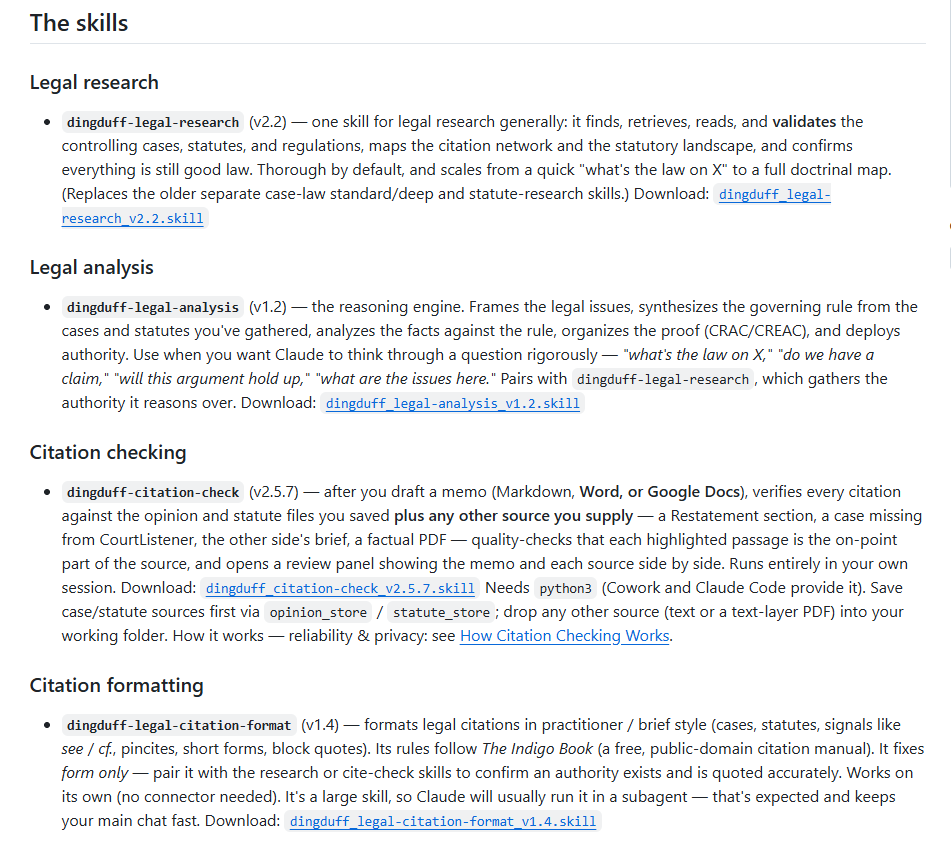
DingDuff offers four supplemental skills that enhance its performance for specific tasks.
After a lawyer drafts a memo or brief, the checker downloads every cited case and statute, pairs each claim in the document with the passage in the source that supports it, and opens a side-by-side review panel where the attorney marks each citation verified, in need of attention, or rejected.
In a demonstration during our interview, the checker tracked 79 citation instances in a draft memo. Where it verified a citation, it displayed the source text with the supporting language highlighted. Where no copy of a cited authority could be retrieved, it flagged the citation in red and told the reviewer to obtain the source and rerun the check, rather than silently approving it.
Because the text matching is done by code, not by the AI’s memory, a made-up or misremembered quotation cannot slip through as verified. What the checker cannot do is decide whether a source actually supports the proposition, or whether the authority remains good law. That judgment stays with the lawyer.
Even so, Duff-O’Bryan said she is still not comfortable filing anything without reading the cases herself and running a separate citator check. “The AI would just have to be bulletproof, and we’re not there yet.”
From a confidentiality standpoint, DingDuff’s servers see the tool calls Claude sends them, but not the surrounding conversation, and the company’s privacy policy says tool-call parameters are retained for no more than seven days.
The Benchmark: Outperforming CoCounsel and Protégé
 In a benchmark published on DingDuff’s website, it gave Claude and ChatGPT, armed with the DingDuff connector, the same legal research assignment as it gave Thomson Reuters CoCounsel and Lexis Protégé, and then graded the resulting memos based on their substantive legal accuracy and their citation accuracy.
The bottom line was that Claude Fable, Claude’s latest model, with DingDuff scored a perfect 11/11 on legal accuracy and had every citation correct, outperforming all the other models they tested.
More details on the benchmarking can be found on DingDuff’s website.
DingDuff v. Claude Alone
This is somewhat of a side note, but this morning, in search of a good screenshot example, I submitted a legal question to Claude. It appeared to me that, in generating the answer, it did not use the DingDuff connector I therefore asked Claude to re-run the query, but this time to use DingDuff.
Notably, after running the same query through DingDuff, Claude changed its answer. Here is how Claude put it: “Running it through DingDuff’s case-law tools surfaces the same authorities but sharpens the doctrine in a way worth flagging — and corrects something in my first answer.”
Notably, by reading the actual case, Claude found that something it had first described as a common-law qualified privilege was not that — and that, in fact, the majority opinion had expressly declined to opine on the common-law rule. Rather, the opinion upheld the lower court based on a finding that the trial judge had acted within a broad measure of discretion.
During our interview, I had asked Dingman whether I need to tell Claude to use DingDuff or whether it would know to use it.
He said Claude would look at its available tools and decide which is best to answer the particular question. But if you have multiple legal research engines connected, it might try to pick one.
To avoid any confusion, Dingman has created a general instruction that can be used to tell Claude to use DingDuff when it is answering a legal question.
His recommended instruction, which you would add to your general Claude settings, is: “When I ask a legal question, always use the DingDuff connector and rely only on the DingDuff database. Tell me the jurisdiction you searched and include citations.”
Taking Back The Profession
DingDuff is supported by a tip jar on its website, and the founders said their costs are low enough to keep it free. (The terms of service do reserve the right to introduce fees in the future, on at least 30 days’ notice.) Usage is growing steadily. They told me they add one or two new users a day, and can watch power users run the roughly 100 tool calls it takes to research and write a brief.
For Dingman, the free model is based on his own experience. He spent time as a solo practitioner representing tenants and consumers in small cases, work that could never support a $500-a-month AI research subscription. Before Westlaw’s AI even existed, he had contemplated buying a stack of cheap MacBooks, loading each with his legal database, and handing them to legal aid attorneys.
His stated fear, only half-joking, was that Westlaw would eventually release “some kind of Death Star AI” priced so that only large firms could practice with computer assistance, distorting the law itself.
“I wanted something that would just always be there,” he said. “I’m pretty sure DingDuff will keep up with it, because DingDuff gets better as Claude gets better, and Claude keeps getting better and better.”
“There’s the sense that the billionaires are quickly taking everything, including maybe the law,” said Duff-O’Bryan. “And it’s like — actually, no. We can build this and we can share it for not very much money.” As lawyers, she said, they are keeping the profession’s tools in the profession’s own hands.
To me, DingDuff’s story demonstrates something every legal research incumbent should find unsettling: Two lawyers with a frontier AI model, an open case law database and a homegrown statute collection can now create a credible legal research alternative — and give it away for free.
(Instructions for installing DingDuff in Claude can be found on its GitHub page.)